



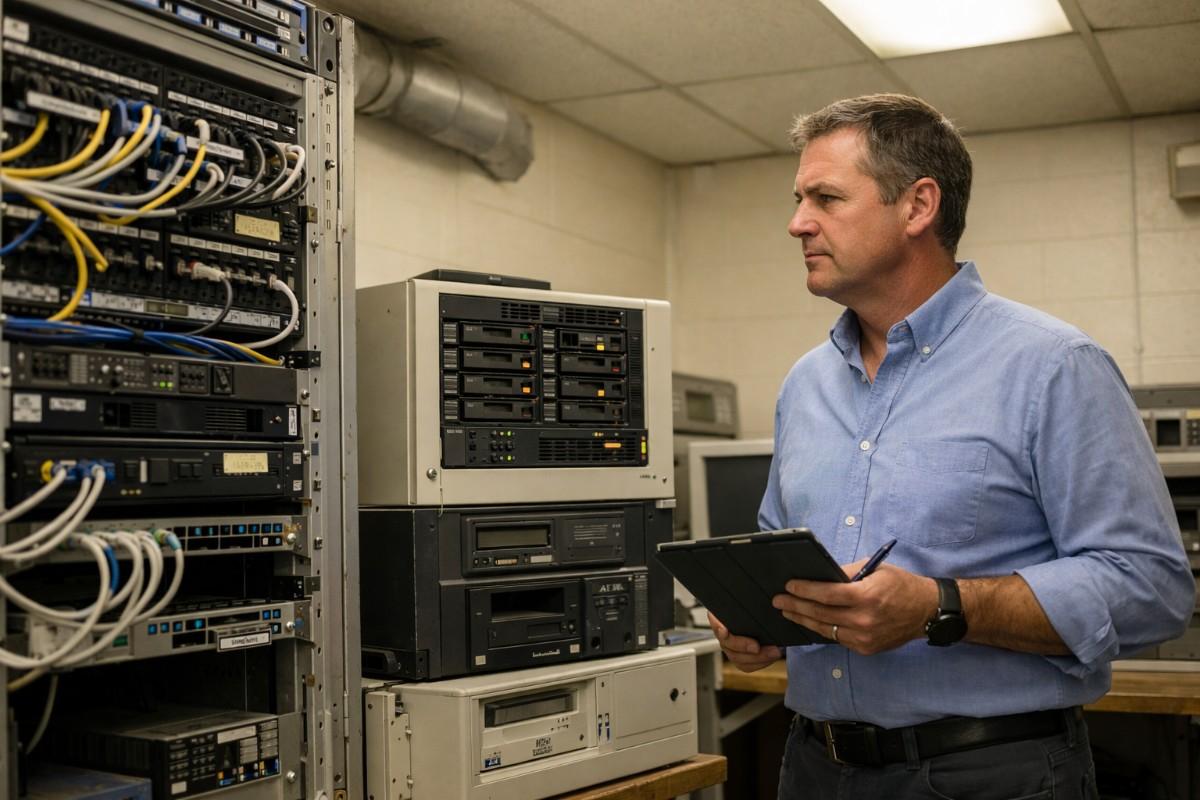
If this is familiar, you are not alone. Across the US, hundreds of small and mid-sized water, electric, and gas utilities are operating on Customer Information Systems (CIS) that were built for a different era — before smart meters, before cloud infrastructure, before the expectation that a customer could pay their bill on a phone at midnight.
Migrating to a cloud-based utility platform is not a technology decision. It is an operational one. And the utility directors who have done it describe the same three outcomes: lower costs, fewer billing errors, and the ability to actually focus on running a utility rather than keeping old software alive.
This guide walks you through what migration actually involves, how long it realistically takes, what can go wrong, and what to look for in a partner before you sign anything.
Most utility directors know their system is aging. What they are often less certain about is whether the pain they are experiencing is a maintenance problem — fixable with an upgrade or a patch — or a structural problem that only replacement solves.
These five signs indicate the latter.
A modern cloud billing platform should run an automated billing cycle from meter read to invoice without staff needing to monitor, intervene, or reconcile exceptions by hand. If your team is spending hours each billing cycle catching errors that the system generates, the system is the problem.
When a field crew closes a service order in one system and a customer service rep has to manually update the account in another, you have siloed tech. According to AWWA, utilities with disconnected operational systems report significantly higher rates of duplicate data entry errors and slower customer issue resolution times.
Utility IT teams are typically small — often one or two people managing everything. If a meaningful portion of that person’s week is consumed by server maintenance, backup monitoring, or database patching rather than supporting operations, the infrastructure is consuming resources that should be going elsewhere.
Customers at municipal water utilities and electric co-ops now expect online bill pay, usage history, and service request submission as a baseline. If your legacy CIS does not support a customer portal, or if your portal is a third-party bolt-on that does not sync reliably with billing, you are generating unnecessary call volume and customer dissatisfaction.
EPA and state PUC reporting requirements continue to grow. If producing an audit-ready compliance report requires your billing manager to spend a day pulling data from multiple systems into a spreadsheet, your platform is working against your regulatory obligations rather than supporting them.
Migrating a legacy utility system to the cloud refers to the process of transferring a utility’s customer account records, billing history, meter reads, service order history, and operational workflows from an on-premise CIS to a cloud-based SaaS platform — typically over a structured program of data extraction, mapping, validation, parallel testing, and go-live.
It is not simply moving files from one place to another. Legacy CIS databases frequently contain 10–20 years of billing history, multiple rate structures that have changed over time, and customer records that have accumulated errors, duplicates, and formatting inconsistencies over years of manual data entry. Before any of that data moves, it needs to be audited, cleaned, and mapped to the schema of the new platform.
The core elements of a utility system migration are:
• Data extraction — pulling customer records, account history, meter read history, billing transactions, and service orders out of the legacy system in a usable format
• Data mapping and cleaning — identifying duplicates, correcting formatting errors, mapping old rate codes to new rate structures, and validating that historical reads reconcile with billed amounts
• System configuration — setting up rate schedules, billing cycles, user roles, service territory definitions, and integration connections in the new platform before any customer data is imported
• Parallel testing — running the new system alongside the legacy system for a defined period, processing real billing cycles in both, and comparing outputs to verify accuracy before switching over
• Go-live and cutover — decommissioning the legacy system and directing all operational activity to the new platform
• Post-migration optimization — resolving any edge cases that emerge in the first billing cycle on the new system, and training staff on new workflows
This is the question that stalls more utility migration decisions than any other. The honest answer is: it depends heavily on the quality of your existing data and the complexity of you rate structures — but a well-scoped migration to a modern cloud platform does not need to take years.
For context, enterprise utility software vendors typically quote 12–18 months for implementation. Much of that timeline is consumed by implementation consulting, customisation, and thevendor’s own project queue — not by the work itself.
Here is a realistic phase-by-phase timeline:
1. Discovery and Scoping (Weeks 1–2). The implementation team audits your current system — data volumes, rate structure complexity, integration requirements, reporting needs. A migration plan and go-live date are agreed.
2. Data Extraction and Cleaning (Weeks 3–6). Your legacy data is extracted, audited for errors and duplicates, and cleaned before mapping begins. This phase is the most time-intensive and is where most migrations run into delays if it is rushed.
3. System Configuration (Weeks 4–8). Rate schedules, billing cycles, user roles, and integration connections are configured in the new platform in parallel with data preparation.
4. Parallel Testing (Weeks 8–14). The new system processes real billing cycles alongside the legacy system. Outputs are compared and any discrepancies resolved. Staff begin training on new workflows during this phase.
5. Go-Live and Cutover (Week 12–20). Legacy system is decommissioned. All operational activity moves to the new platform.
6. Post-Migration Optimization (Weeks 1–4 post go-live). First full billing cycle on the new system is closely monitored. Edge cases are resolved. Staff confidence builds.
Total timeline for a utility operating between 3,000 and 100,000 meters: 12–24 weeks from kickoff to fully operational.
Every utility director who has delayed a migration has a version of the same concern: what if something goes wrong? These concerns are legitimate. Here is what the real risks are — and what a competent migration approach does about each one.
• Risk 1: Historical data loss or corruption
This is the most frequently cited fear. The mitigation is a structured data extraction and validation process before the legacy system is touched. A full backup of all legacy data should be taken and verified before migration begins. Data should be validated in the new system before the legacy system is decommissioned — never simultaneously.
• Risk 2: Service disruption during cutover
A poorly managed go-live can create gaps in billing, delayed service orders, and customer-facing errors. The mitigation is a parallel testing period of sufficient length — at minimum one complete billing cycle — before cutover. Utilities that skip parallel testing to accelerate timelines carry the highest cutover risk.
• Risk 3: Staff resistance and workflow failure. Anew platform that staff are not trained on becomes a problem on Day 1. The mitigation is training that happens during the parallel testing phase — not after go-live — so staff are building confidence while the safety net of the legacy system is still in place.
• Risk 4: Integration failures with AMI or payment systems. Legacy systems often have custom, undocumented integrations with meter data or payment processing systems that are not discovered untilmigration is underway. The mitigation is a thorough integration audit during the discovery phase, and a platform with pre-built connectors to the mos tcommon AMI, MDM, GIS, and payment systems.
Choosing a migration partner isas important as choosing the platform. A strong platform poorly implemented is still a failed migration. Here are five criteria that distinguish a partner worth working with from one that will leave you managing the project yourself.
Your billing history, customer records, and meter reads are the most valuable operational asset your utility has. A partner who treats data migration as a chargeable extra is signaling that it will not be their priority.
“Typical implementations take around X months” is not a commitment. Ask for a project plan with defined phases, milestones, and ago-live date before you sign.
Every custom integration is a point of failure risk and a future maintenance cost. If your AMI vendor is Sensus, Itron, or Landis+Gyr, or your payment gateway is a common processor, your platform should connect to it out of the box.
A platform built for utilities with 500,000+ meters is designed around a different set of problems than one built for a 15,000-meter municipal water system. Ask specifically for references from utilities in the 3,000–100,000meter range.
Per-user licensing penalizes utilities for putting more staff on the system. Per-module pricing creates pressure to leave functionality unused to control costs. Per-meter pricing aligns the vendor’s revenue with the scale of your operation.
SMART360 by Bynry is a cloud-native utility operations platform built specifically for water, electric, and gas utilities operating between 3,000 and 100,000 meters — the segment that large enterprise vendors consistently under-serve.
Migration to SMART360 is managed end-to-end. Data extraction, cleaning, mapping, and validation are handled by the SMART360 implementation team as part of the standard engagement. The platform’s data migration service is specifically designed to handle the complexity of legacy CIS data: multi-year billing history, multiple rate structures, incomplete records, and the integration dependencies that most legacy systems carry undocumented.
Implementation runs in 12–24 weeks, depending on utility complexity. Island Water Authority — a multi-territory utility — was live on SMART360 in 8 weeks. That timeline is achievable because SMART360 arrives pre-configured for utility operations, with25+ pre-built integrations for Sensus, Itron, Landis+Gyr, Esri GIS, and majorpayment gateways. There is no months-long customization phase, because the platform is built for utilities from day one.
The SMART360 Customer Information System unifies billing, customer portal, work and service orders, meter data management, asset management, and AI analytics in a single platform. When your CIS, billingengine, and field dispatch are all in the same system, the reconciliation errors and data discrepancies that consume hours of staff time every billing cycle simply stop occurring. Utilities migrating to SMART360 report approximately 50% improvement in billing accuracy and 60% faster customer service resolution times.
SMART360 is priced per meter, per month — no per-user fees, no per-module licensing. For a utility managing 10,000 meters, the cost is known, predictable, and scales only with your actual service territory. Utilities moving from legacy on-premise CIS to SMART360typically reduce operational expenditure by approximately 50%, shifting from capital-intensive server infrastructure and annual license fees to a predictable operational cost. SOC 2 certified. No on-premise infrastructure required. Fully accessible on mobile for field crews.
To see what migration looks like for a utility your size, book a call with the team.
For a water, electric, or gas utility operating between 3,000 and 100,000 meters, a well-managed migratio nfrom a legacy CIS to a cloud-based platform typically takes 12–24 weeks from kickoff to fully operational. The primary variables are data quality — the cleaner the legacy data, the faster the migration — and rate structurecomplexity. Utilities with straightforward billing configurations andwell-maintained customer records consistently reach the shorter end of thatrange.
Historical billing data —including customer records, meter read history, billing transactions, and service order history — is extracted from the legacy system, validated foraccuracy, cleaned for errors and duplicates, and imported into the new platform before go-live. A full backup of all legacy data is taken before migration begins. The legacy system remains intact and accessible during the paralleltesting phase as a reference, and is only decommissioned after the new system has successfully completed at least one full billing cycle.
A properly managed migration does not disrupt service delivery. The migration runs in parallel with the existing legacy system — billing cycles continue on the legacy platform whilethe new system is configured, populated with data, and tested. Cutover to thenew platform occurs only after parallel testing confirms that billing outputsmatch and staff are trained. Emergency service orders, customer calls, and billing continue uninterrupted throughout.
No. A cloud-native utility platform eliminates the infrastructure management burden that typically consumes IT resource on legacy on-premise systems. There are no servers to maintain, no database backups to monitor, and no hardware refresh cycles to plan. Your IT team configures and administers the platform rather than maintaining infrastructure. Most small and mid-sized utilities that migrate to cloud platforms report no increase in IT headcount requirements — and many reduce the time their IT staff spend on system maintenance substantially.

